1xCasino Mobile App
Troubleshoot the 1xCasino mobile app in New Zealand: a quick 60-second check, common error symptoms, what happens to a bet after a crash, and fixes.
The 60-second app check
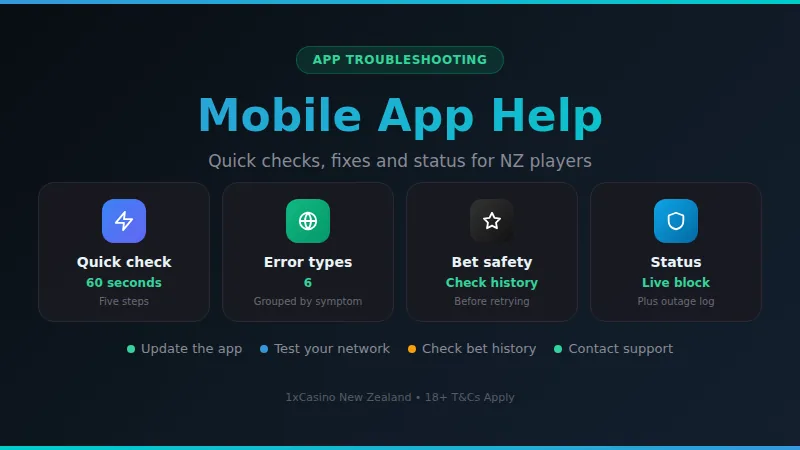
If the 1xCasino app will not open or load for you in New Zealand, work through five quick checks: your connection, the app version, a restart, your login details and the status page. Most problems clear in about a minute. Always check your bet history before placing a bet again.
Most mobile problems are small and local to your phone, not a sign that anything is wrong with your account. Before you reinstall anything or write to support, run through the steps below in order. They are arranged from the fastest and least disruptive to the slowest, so you can stop as soon as the app behaves again.
-
1
Test your connection
Open any website in your browser. If it is slow, switch between Wi-Fi and mobile data, or move closer to the router.
-
2
Close and reopen the app
Swipe the app away from your recent apps list, wait a few seconds, then open it again to clear a stuck session.
-
3
Update the app
Check your phone's app store for a pending update. An old version is a common reason for a blank screen or a failed login.
-
4
Check your login details
Type your email and password slowly and look for caps lock or autocorrect changes. Use the reset option if you are unsure.
-
5
Look at the status page
Open the status page to see whether other players are reporting trouble at the same time.
Error messages and what they usually mean
Error wording can differ between app versions and phone models, so this guide groups problems by the type of message you see rather than by a numbered code. Match what is on your screen to the closest row below, and try the first move before anything else.
| Message type | Likely cause | First move |
|---|---|---|
| Connection lost | Weak signal | Switch network |
| Login failed | Wrong details | Reset password |
| Payment declined | Bank block | Check bank app |
| Game won't load | Cache or update | Clear cache |
| App won't open | Old version | Update app |
| Session expired | Idle timeout | Log in again |
These are the usual causes, not a guarantee. If the same message keeps coming back after the first move, note the exact wording and the time in New Zealand, and pass both to support. For payment messages, the payment methods page lists what you can use for deposits, and your own bank can tell you if it blocked the transaction.
One more point worth knowing: if a message mentions your location or your device settings, check that your phone's date, time and time zone are set automatically. A clock that is a few minutes out can interfere with secure connections and cause confusing login errors.
What happens to your bet when the app fails
The worst moment for a crash is mid-bet, because you cannot tell whether the stake went through. The sensible rule is simple: do not place the same bet again until you have looked at your account history. Repeating a bet that was actually accepted means you end up with two.
- 1
Log back in, using the app or the mobile site in your browser.
- 2
Open your bet history or game history and look for the stake at the time of the crash.
- 3
If the bet is listed, treat it as placed and wait for the result to settle.
- 4
If it is not listed and your balance is unchanged, the bet most likely did not go through.
- 5
If the balance and history do not agree, take a screenshot and contact support with the time and amount.
Game rounds that were already under way are normally decided on the server side, so closing the app does not usually cancel them. That is another reason to look at the history instead of assuming the round was lost.
Fixes by symptom
Frozen or white screen
Force-close the app, restart the phone and reopen. If it still hangs, clear the app cache in your phone settings and sign in again.
Cannot log in
Check for typing slips, then use the password reset. Make sure your email app is not delaying the reset message by looking in spam.
Slow or choppy games
Close other apps running in the background, move to a stronger Wi-Fi signal, and avoid playing while a large download is under way.
Deposit not showing
Refresh the balance, then check the bank side. Review the minimum deposit page to confirm your amount was acceptable.
Constant logouts
Turn off battery savers that kill background apps, keep the app updated, and avoid switching networks in the middle of a session.
If none of these help, a clean reinstall is the last step you can take yourself. Before you delete the app, make sure you know your login details, since you will need them to sign back in. Your account lives online, so reinstalling does not remove it.
Current status and outage log
A status panel with a running log of past disruptions, so you can see whether a problem is new or has happened before.
For a wider view of whether the service is reachable, the 1xCasino status page is the best place to start. If the panel shows no known issue and you still cannot get in, the cause is most likely on your phone or your connection, and the checks above are the right place to go back to.
Keeping your own outage log
A short personal note makes any support conversation faster. When something breaks, write down a few details straight away, while they are fresh. Support staff can do far more with a precise report than with a message saying that the app is not working.
- Time
- Local NZ time
- Device
- Phone model and system
- Message
- Exact wording on screen
- Action
- What you tapped last
- Connection
- Wi-Fi or mobile data
A screenshot is even better than a written description. If the same trouble returns at the same time of day, your notes will show the pattern, which helps you tell a local network problem from a wider disruption.
Who this guide is not for
This page is about technical trouble with the app. It does not replace the account help you would get from support, and it cannot reverse a bet or settle a dispute. If your question is about an account, a verification request or a payout, use the contact options on the site.
- Players looking for account or verification help should go to support directly.
- Anyone under 18 should not use the app or the site at all.
- If playing has stopped feeling like fun, take a break and consider setting limits or self-exclusion.
- Free, confidential help is available in New Zealand from the Gambling Helpline and at pgf.nz.
Play only with money you can afford to set aside for entertainment. Technical problems are annoying, but they are never a reason to chase a bet or deposit more in a hurry.
What players tend to say about mobile play
Players who use their phone for most sessions often mention the same few things: it is convenient to log in from anywhere with a signal, the layout is quick to get used to, and short sessions on the commute or at home on the couch suit the format well. Many also say that a simple restart or an update clears the odd hiccup quickly.
Strengths
- Quick access from your phone wherever you have a signal
- Short sessions fit easily around a busy day
- Most small glitches clear with a restart or update
Worth knowing
- A steady connection helps for smooth play
- An occasional update may be needed before you can log in
1xCasino app questions
Why will the 1xCasino app not open on my phone?
Is it safe to place a bet again after the app crashed?
How do I know if the problem is my connection or the service?
Will reinstalling the app delete my account or balance?
My deposit is not showing in the app. What should I do?
What should I include when I contact support about an app problem?
Ready to Try 1xCasino?
Open the lobby, check the cashier in New Zealand dollars and start with the limits you set yourself.
18+. Gamble responsibly. Free, confidential help at gamblinghelpline.co.nz or 0800 654 655.